Green certificate verification errors & solutions
Green Certificate Verification Errors & Solutions
Everything you need to diagnose, fix, and prevent Punjab Green Certificate verification problems — fast and correctly.
Jump to Solutions →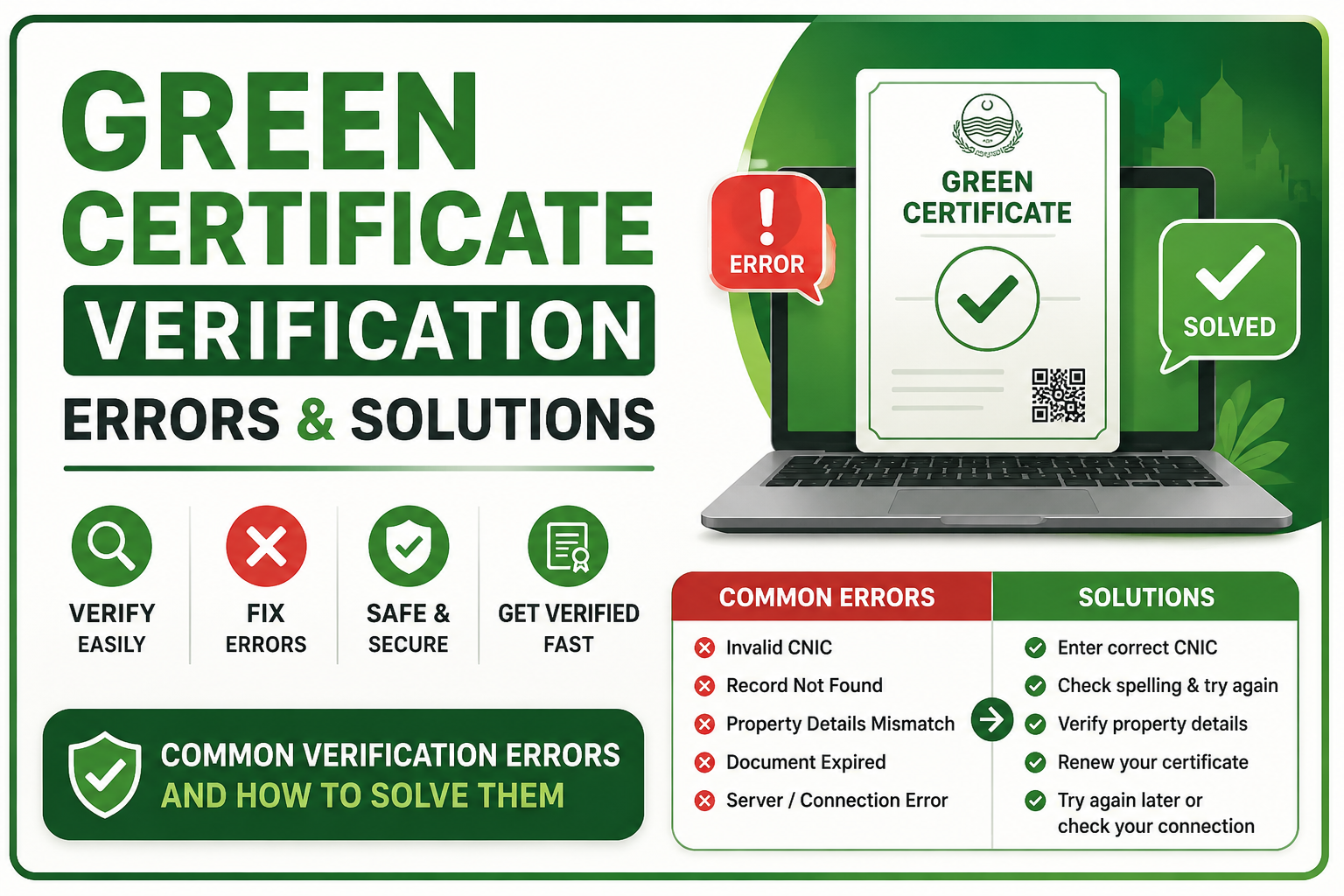
Green certificate verification errors in Punjab occur when submitted documents don’t match PEPD records, a certificate has expired, or there’s a portal processing delay. Most errors are resolved within 1–7 business days by correcting documentation, contacting the Punjab Environmental Protection Department (PEPD), or requesting a re-audit. This guide covers every common error type and its step-by-step solution.
🔑 Key Takeaways
- The most common green certificate verification errors are document mismatches, expired certificates, audit failures, and portal system glitches.
- Most errors can be resolved without starting the application over — targeted corrections usually suffice.
- Punjab’s 2026 regulatory update increased compliance standards by 30%, raising the chance of new errors for businesses that haven’t updated their systems.
- Always keep a digital copy of your PEPD reference number; it’s required for error resolution requests.
- Preventive steps — quarterly self-audits, updated documentation, and real-time portal monitoring — dramatically reduce future errors.
What Are Green Certificate Verification Errors?
A green certificate verification error is any problem that prevents a business’s Punjab Green Certificate from being confirmed as valid — either by the PEPD online portal, a third-party client, a government tender body, or an inspection officer in the field.
These errors can surface at different stages: during the initial application process, at the point of certificate issuance, during a business transaction that requires proof of certification, or at annual review time. The consequences range from minor inconvenience (a 24-hour portal delay) to serious operational risk (contract disqualification or fine issuance).
Understanding why verification errors happen — and how to fix them fast — is critical for any business operating under Punjab’s 2026 Environmental Protection framework. Let’s break down every category clearly.
4 Main Categories of Verification Errors
Green certificate errors typically fall into one of four categories. Identifying yours accurately is the fastest path to the right solution.
Documentation Errors
Wrong names, outdated records, missing attachments, or documents not matching PEPD’s current format requirements.
System / Portal Errors
Database sync delays, server downtime, browser-related login issues, or certificate not yet uploaded to the live registry.
Audit & Compliance Failures
Your facility failed an environmental inspection, exceeded emission limits, or didn’t meet the 2026 updated standards.
Expiry & Renewal Errors
Certificate expired (valid for 3 years), renewal submitted late, or renewal documentation incomplete.
Green Certificate Error Code Reference Table
The PEPD portal uses specific error codes. Use this table to instantly identify what your error means and its urgency level.
| Error Code | Error Name | Common Cause | Severity | Typical Fix Time |
|---|---|---|---|---|
| GC-404 | Certificate Not Found | Wrong registration number or processing pending | Medium | 24–72 hours |
| GC-401 | Unauthorized / Expired | Certificate expired or access credentials mismatch | High | 3–7 days |
| GC-422 | Document Mismatch | Business name, NTN, or address discrepancy vs PEPD records | High | 5–14 days |
| GC-503 | Portal Unavailable | System maintenance or server overload | Low | 1–6 hours |
| GC-302 | Audit Pending | Re-inspection requested; temporary hold on certificate | Medium | 7–21 days |
| GC-410 | Certificate Revoked | Non-compliance found during spot inspection | Critical | 30+ days |
| GC-500 | Internal Server Error | Temporary system fault; try again later | Low | 1–3 hours |
Important: Error codes GC-401 and GC-410 are the most serious and can affect your eligibility for government contracts. Address these immediately and do not wait for your next scheduled review.
Step-by-Step Solutions for Each Error Type
Solution 1: Fixing Documentation Errors (GC-422)
Documentation mismatches are the single most common reason a green certificate fails verification. This happens when the legal business name on your application differs from your SECP registration, your NTN number is incorrect, or your facility address doesn’t match PEPD’s official site records.
Obtain Your PEPD Verification Report
Log into the PEPD online portal and download the detailed discrepancy report associated with your certificate. This document lists every field that failed to match.
Cross-Reference Against Your Official Documents
Compare the discrepancy report against your NTN certificate, SECP business registration, trade license, and utility bills. Note every mismatch precisely.
Prepare a Correction Submission Package
Compile corrected copies of each document flagged. Write a formal correction letter on company letterhead explaining each change. Include your reference number prominently.
Submit to PEPD and Track Progress
Submit your correction package via the PEPD portal’s “Amendment Request” section or visit the district PEPD office in person. Track status updates every 48 hours until resolved.
Solution 2: Resolving Portal System Errors (GC-404, GC-503, GC-500)
System errors are usually the least serious but can be frustrating because they feel urgent, especially when a client or government body is waiting on verification. The key is to confirm whether the problem is on your end or PEPD’s end.
- Check PEPD System Status: Visit the PEPD official website (pepd.gop.pk) to see if there is a scheduled maintenance announcement.
- Try a Different Browser: Chrome, Firefox, and Edge handle the PEPD portal differently. Clear cache and cookies before retrying.
- Wait 48 Hours After Issuance: Newly issued certificates take up to 48 hours to sync across the national registry database. GC-404 errors shortly after issuance are almost always a sync delay.
- Request Manual Verification Letter: If portal verification is failing during a business-critical moment, contact PEPD’s helpdesk and request a physical verification letter as a temporary measure.
Pro Tip: Screenshot your error with timestamp and note the exact URL. This speeds up resolution when you contact PEPD’s IT helpdesk — they can trace the session log directly.
Solution 3: Addressing Audit and Compliance Failures (GC-302, GC-410)
Audit failures are the most complex type of verification error because they involve real non-compliance with Punjab’s environmental standards — not just an administrative fix. In 2026, updated standards mean even previously compliant businesses may now trigger audit issues.
The most common audit failure causes include:
- Emission levels exceeding the new 2026 National Environmental Quality Standards (NEQS) thresholds
- Wastewater treatment equipment that was sufficient under 2023 rules but fails 2026 standards
- Incomplete quarterly audit submissions (previously required only annually)
- Outdated ISO 14001 certification that wasn’t renewed
- Changes in production volume or processes not reported to PEPD
Obtain the Full Non-Compliance Report
Request the detailed non-compliance report from the auditing officer. This document specifies every failed standard, measured values, and required corrective thresholds.
Engage a Certified Environmental Consultant
Hire a PEPD-approved environmental consultant to help you develop a corrective action plan. Consultants listed on the PEPD-certified consultant directory are familiar with 2026 standards and can fast-track your compliance roadmap.
Implement Corrective Actions Within 30 Days
You typically have a 30-day window to implement corrections before a re-inspection is scheduled. Prioritize the highest-severity failures first. Document every change with photographs, invoices, and test results.
Request a Re-Inspection and Appeal if Needed
Submit a formal re-inspection request through the PEPD portal. If you believe the original inspection was flawed or standards were misapplied, you may file a formal appeal within 30 days of the failure notice.
Solution 4: Fixing Expiry and Renewal Errors (GC-401)
A Punjab Green Certificate is valid for exactly 3 years from the date of issuance. Many businesses face GC-401 errors simply because they didn’t track their expiry date. The renewal process is faster than the initial application — typically 2–3 weeks — but only if started on time.
Critical Warning: Operating with an expired green certificate in Punjab can result in fines of up to 5 million PKR and suspension of government contract eligibility. Set calendar reminders 90 days before your expiry date.
- Start renewal 60–90 days before expiry to avoid any gap in certificate validity.
- Renewal requires updated environmental audit reports, current compliance documentation, and payment of renewal fees.
- If your certificate has already expired, submit an emergency renewal application immediately and inform your business clients with a formal letter explaining the status.
- Renewal processing is prioritized for businesses with a clean compliance history — another reason to maintain continuous compliance between certifications.
How to Prevent Green Certificate Verification Errors in the Future
The best solution is prevention. Businesses that build these habits rarely encounter verification errors at critical moments.
| Prevention Strategy | When to Apply | Impact |
|---|---|---|
| Conduct quarterly internal environmental audits | Every 3 months (mandatory under 2026 rules) | Catches compliance gaps before official inspection |
| Set certificate expiry reminders | 90 days before expiry date | Eliminates GC-401 renewal errors entirely |
| Keep all registration documents current | After any business name, address, or ownership change | Prevents GC-422 documentation mismatches |
| Monitor the PEPD portal monthly | First week of every month | Detects any status changes before they become critical |
| Maintain ISO 14001 certification | Ongoing | Reduces audit failure risk significantly |
| Report facility changes to PEPD promptly | Within 30 days of any operational change | Avoids GC-302 audit holds triggered by unreported changes |
How Punjab’s 2026 Regulatory Updates Affect Verification
Punjab increased its environmental compliance standards by 30% in 2026. This single change is responsible for a significant spike in audit-related verification errors that businesses weren’t anticipating.
Key 2026 changes that directly cause new verification errors:
- Quarterly audits now mandatory — Businesses previously compliant with annual audits are now triggering GC-302 errors for missing quarterly submissions.
- Stricter emission thresholds — Equipment that passed 2023 standards may now fail, resulting in GC-410 revocation errors.
- Advanced pollution control required — Basic pollution control setups are no longer sufficient for manufacturing and processing industries.
- Digital documentation only — PEPD has moved to fully digital records, meaning paper-based documentation no longer satisfies verification requirements.
Good News: Businesses that proactively upgraded their environmental systems before 2026 standards were enforced are reporting smoother verification experiences and faster audit clearances. Learn more about the full 2026 Green Certificate Requirements.
When to Contact PEPD Directly
While many errors resolve through the portal, some situations require direct contact with the Punjab Environmental Protection Department:
- Your error code is GC-410 (certificate revoked)
- A portal error has persisted more than 72 hours with no update
- You believe an audit finding was incorrect and want to file an appeal
- A third party (bank, government tender body) is rejecting your certificate
- You’ve received a fine notice and need to clarify your compliance status
PEPD Contact Method: Visit the official PEPD portal at pepd.gop.pk, use the “Grievance Submission” module, or visit your nearest district PEPD office with your certificate reference number and supporting documents.
Frequently Asked Questions
Why is my green certificate showing as invalid online?
How long does it take to fix a green certificate verification error?
What is Error Code GC-404 on the PEPD portal?
Can I appeal a green certificate rejection or revocation?
Does a verification error affect my ability to operate my business?
What if my business changed its name or address after certification?
Are there errors specific to first-time applicants?
Ready to Resolve Your Green Certificate Issue?
Get the full picture on Punjab’s Green Certificate — from requirements to the complete application process. Don’t let a verification error hold your business back.
Start Your Application View Requirements